

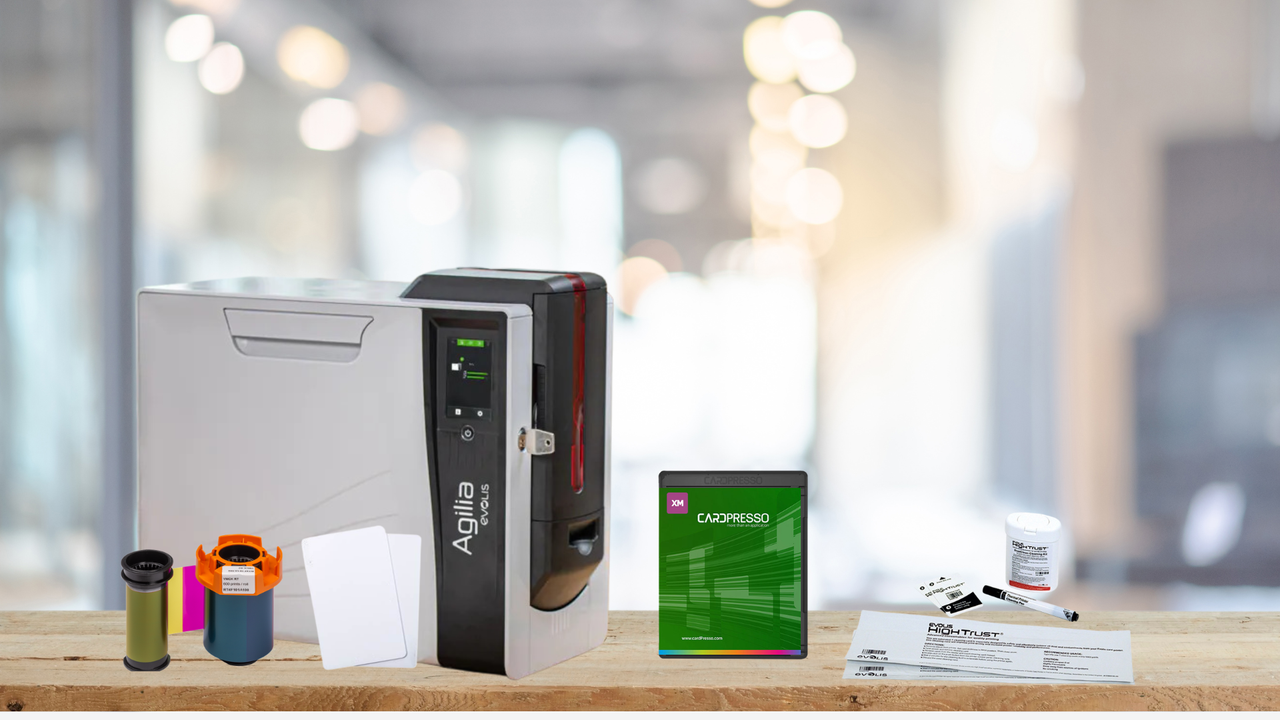
Printing ID cards might seem simple at first glance, but producing professional, secure, and durable badges requires the right combination of equipment and supplies. Whether you’re setting up a small office ID system or a full-scale credentialing program, understanding what you need to start printing ID cards ensures a smooth, efficient process.
Here’s a comprehensive guide for organizations and resellers looking to implement an ID card printing system.
1. ID Card Printer
The most important piece of equipment is, of course, the ID card printer. ID card printers come in different types and sizes, and choosing the right one depends on your printing volume, budget, and security needs.
Types of ID Card Printers:
- Direct-to-Card Printers (DTC): Print directly onto the card surface; ideal for most small- to medium-sized organizations.
- Retransfer Printers: Print images onto a film and transfer it to the card; produce higher-quality, edge-to-edge prints and are better for high-security or heavy-use cards.
Other considerations:
- Single-sided vs dual-sided printing
- Print speed and volume
- Compatibility with your ID card software
2. ID Card Printer Supplies
Even the best printer won’t work without the right ID card printer supplies.
Essential supplies include:
- PVC or Composite Cards: Standard blank cards used for employee IDs, student badges, or membership cards.
- Printer Ribbons: Color or monochrome ribbons depending on your design requirements.
- Overlaminates or Laminates: Protect cards from wear and enhance durability.
- Cleaning Kits: Maintain printer performance and prevent smudges or misprints.
Having extra supplies on hand ensures uninterrupted ID card production and consistent quality.
3. ID Card Design Software
While the printer handles the physical output, ID card software is what makes professional badge creation possible.
Features to look for in ID card software:
- Card Design Templates: Pre-built layouts make it easy to add logos, photos, and text.
- Database Integration: Connect employee or student databases for batch printing.
- Encoding Capabilities: Encode magnetic stripes, barcodes, or smart chips directly on cards.
- Security Features: Add watermarks, holograms, or other security elements to prevent counterfeiting.
Software bridges the gap between your cardholder data and the printer, allowing fast, accurate, and secure printing.
4. Optional Security Accessories
Depending on your organization’s needs, you may also want to invest in additional security components:
- Holographic overlays for counterfeit protection
- UV or infrared printing for added security
- Magnetic stripe or smart chip encoding modules
- Badge holders, lanyards, or clips for daily use
These accessories enhance the security, durability, and usability of your ID cards.
5. Computer or Workstation
Finally, you need a reliable computer or workstation to run your ID card software and connect to your printer. Ensure it meets the software requirements and has enough storage to manage your cardholder database and image files.
Putting It All Together
Starting an ID card printing program is more than just buying a printer. To create professional, secure, and durable ID cards, you need:
- A reliable ID card printer
- Proper ID card printer supplies (cards, ribbons, cleaning kits)
- ID card design and management software
- Optional security accessories (overlays, encoding, holders)
- A capable computer or workstation
By investing in the right equipment and supplies, your organization can produce professional ID cards that enhance security, improve access control, and create a consistent visual identity for your employees, students, or members.
Ready to set up a professional ID card program? Contact us today to speak with an expert who can help you select the right printer, supplies, and software to meet your organization’s needs.