

Organizations of all sizes are moving toward in-house ID card printing to improve security, reduce outsourcing costs, and gain faster control over employee, student, visitor, and membership credentials. Whether you are creating employee badges, student IDs, healthcare credentials, or access control cards, having the right equipment is essential for building an efficient and professional ID card program.
If you are new to badge printing, you may be wondering: What equipment do you actually need to start printing ID cards? The answer depends on your organization’s goals, security requirements, and badge volume, but most ID card systems include a few key components.
Here is a breakdown of the equipment needed to start printing professional ID cards.
1. An ID Card Printer
The most important piece of equipment is an ID card printer. These printers are specifically designed to print durable, high-quality credentials on PVC cards and are available in different types depending on your organization’s needs.
Direct-to-card printers print directly onto the card surface and are commonly used for standard employee badges, membership cards, and school IDs. They are typically a cost-effective option for organizations printing moderate volumes of cards.
DTC printers are often ideal for:
- Employee ID badges
- Visitor badges
- Student IDs
- Membership cards
Retransfer printers print images onto a transfer film that is fused to the card surface. This produces higher image quality, edge-to-edge printing, and better results on technology cards with embedded chips or uneven surfaces.
Retransfer printers are commonly used for:
- Government credentials
- High-security employee badges
- Access control cards
- Healthcare IDs
When choosing an ID card printer, organizations should consider print volume, security requirements, card design complexity, and whether features such as dual-sided printing, encoding, or lamination are needed.
Popular printer brands include:
2. ID Card Design Software
An ID card printer alone is not enough — organizations also need badge design software to create, personalize, and manage credentials.
ID card software allows users to:
- Design badge templates
- Add employee photos
- Import user information from spreadsheets or databases
- Encode smart cards or proximity cards
- Print variable data
Depending on the software, organizations may also integrate employee databases, visitor management systems, or access control software.
Many entry-level programs support simple badge creation, while advanced platforms offer database connectivity, automation, and credential management.
3. Blank PVC Cards
Blank PVC cards are the foundation of any ID badge program. Organizations must choose the correct card type depending on how the badge will be used.
Common card options include:
Standard PVC Cards
Used for:
- Photo IDs
- Employee badges
- Membership cards
- Visitor credentials
Composite PVC Cards
Designed for:
- High-durability applications
- Laminated cards
- Higher-temperature printing environments
Technology Cards
Used for:
- Access control systems
- Proximity cards
- Smart cards
- RFID credentials
Selecting the right card material helps improve print quality, durability, and compatibility with your access control system.
4. Printer Ribbons and Supplies
ID card printers require compatible printer ribbons to produce high-quality cards.
Ribbon types vary depending on the printer model and printing requirements, including:
- Full-color ribbons (YMCKO)
- Black monochrome ribbons
- Half-panel ribbons
- Lamination films
- Holographic overlays
Using manufacturer-approved supplies can help maintain print quality and reduce the risk of printer errors or warranty issues.
Organizations should also keep cleaning kits on hand to help maintain printer performance and extend equipment lifespan.
5. An ID Camera or Webcam
For employee or student photo badges, an ID camera is highly recommended.
Badge photography equipment helps create:
- Professional employee photos
- Consistent image quality
- Standardized badge formatting
Many organizations use high-resolution webcams or dedicated ID cameras designed specifically for badge enrollment.
Proper lighting and consistent photo standards can significantly improve badge professionalism and identification accuracy.
6. Signature Pads (Optional)
Some organizations require employee signatures directly on ID badges.
A signature pad allows users to digitally capture signatures that can be added to badge designs for:
- Employee identification
- Healthcare credentials
- Government-issued IDs
- Security compliance purposes
This feature is especially useful in regulated industries.
7. Badge Accessories
Once badges are printed, organizations often need accessories to display credentials safely and conveniently.
Popular badge accessories include:
- Badge holders
- Lanyards
- Badge reels
- Clips and attachments
- Credential wallets
The right accessory helps improve badge visibility while protecting cards from wear and damage.
8. Encoding Equipment (If Needed)
If your organization uses access control or secure authentication, card encoding may be necessary.
Some ID card printers offer built-in encoding modules for:
- Proximity cards
- Smart cards
- RFID credentials
- Magnetic stripe cards
Encoding capabilities allow organizations to combine identification and building access into a single credential.
Should You Buy an ID Card Printer System?
For organizations starting from scratch, an ID card printer system is often the easiest solution.
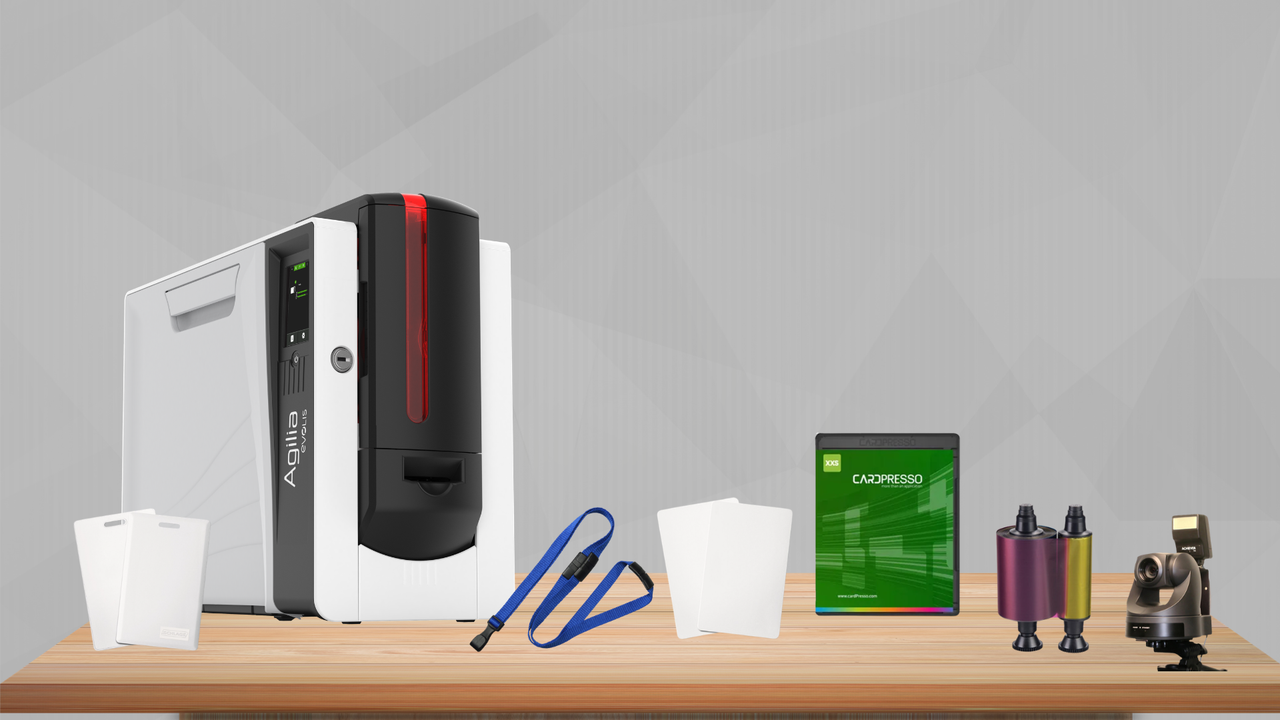
Complete systems typically include:
- An ID card printer
- Badge design software
- Blank cards
- Printer ribbon
- Camera
- Accessories to get started
Bundled systems simplify setup and help ensure all components work together.
ID card printer systems may or may not include components such as an ID camera, software, cards, ribbon, or accessories. Actual included items vary based on the options selected by the customer.
Ready to Start Your In-House ID Card Program?
Launching an in-house ID card program doesn’t have to be complicated. With the right setup, most organizations can quickly begin producing professional, secure credentials using a few essential components: an ID card printer, design software, blank cards, ribbons, and a camera. For organizations with higher security needs, options like encoding, lamination, and badge accessories can further enhance functionality and protection.
Whether you're issuing employee badges, student IDs, visitor credentials, or access control cards, starting with the right equipment ensures a smoother rollout, better security, and long-term cost efficiency.
Contact us today to speak with an ID card printing specialist and get help building a complete, professional ID card program tailored to your organization’s needs.